
Run your entire PCIT training program in one place
The PCIT Training Tracker replaces the spreadsheets, paper checklists, and many email threads required to train therapists toward certification all within one workspace.
Included with the Organization plan at no extra cost: $49/month plus $10/month per clinician seat.
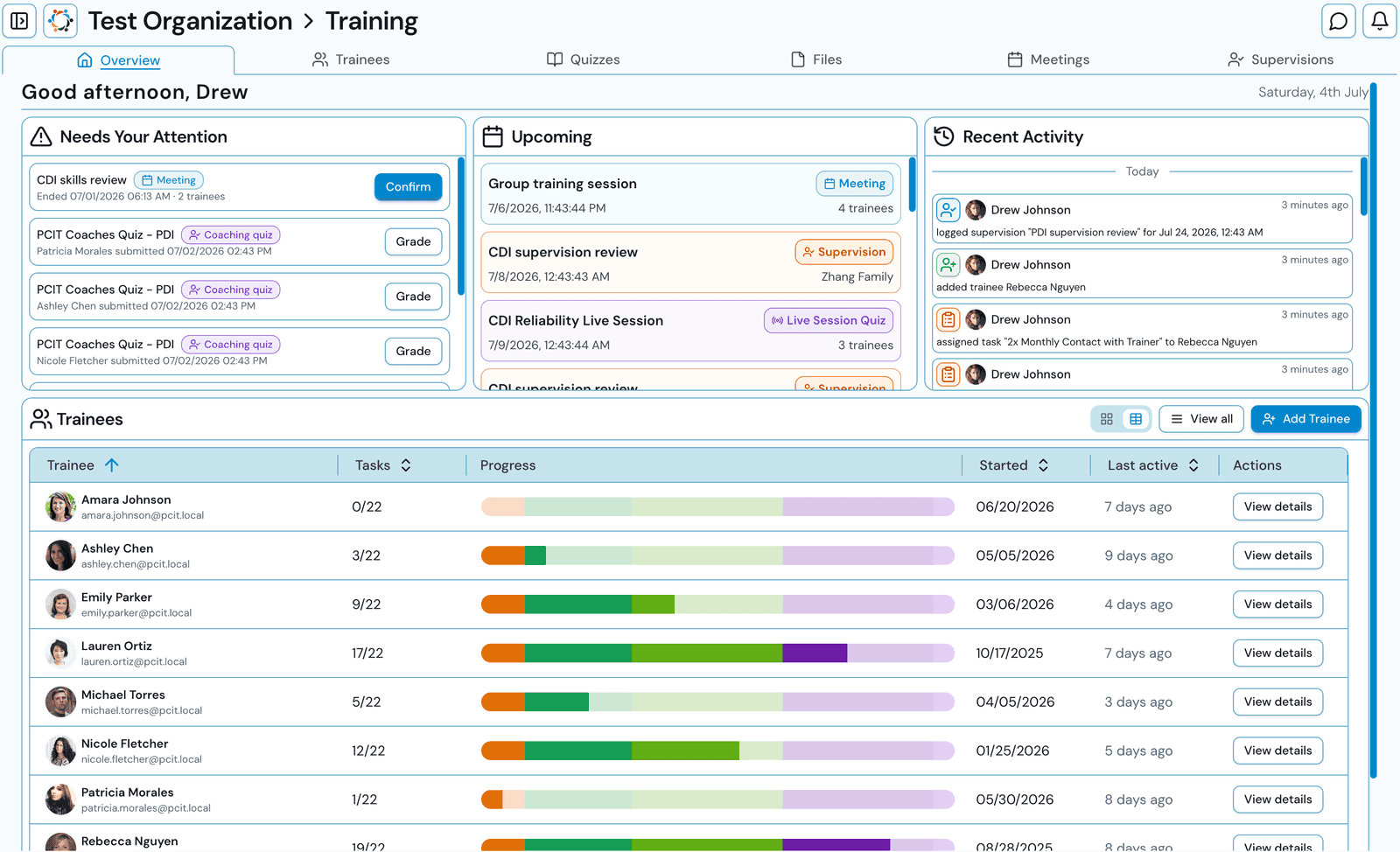
Track every PCIT certification requirement
New trainees start with a complete certification checklist. Trainers customize tasks, targets, and cadences to match their program.
Certification workflows
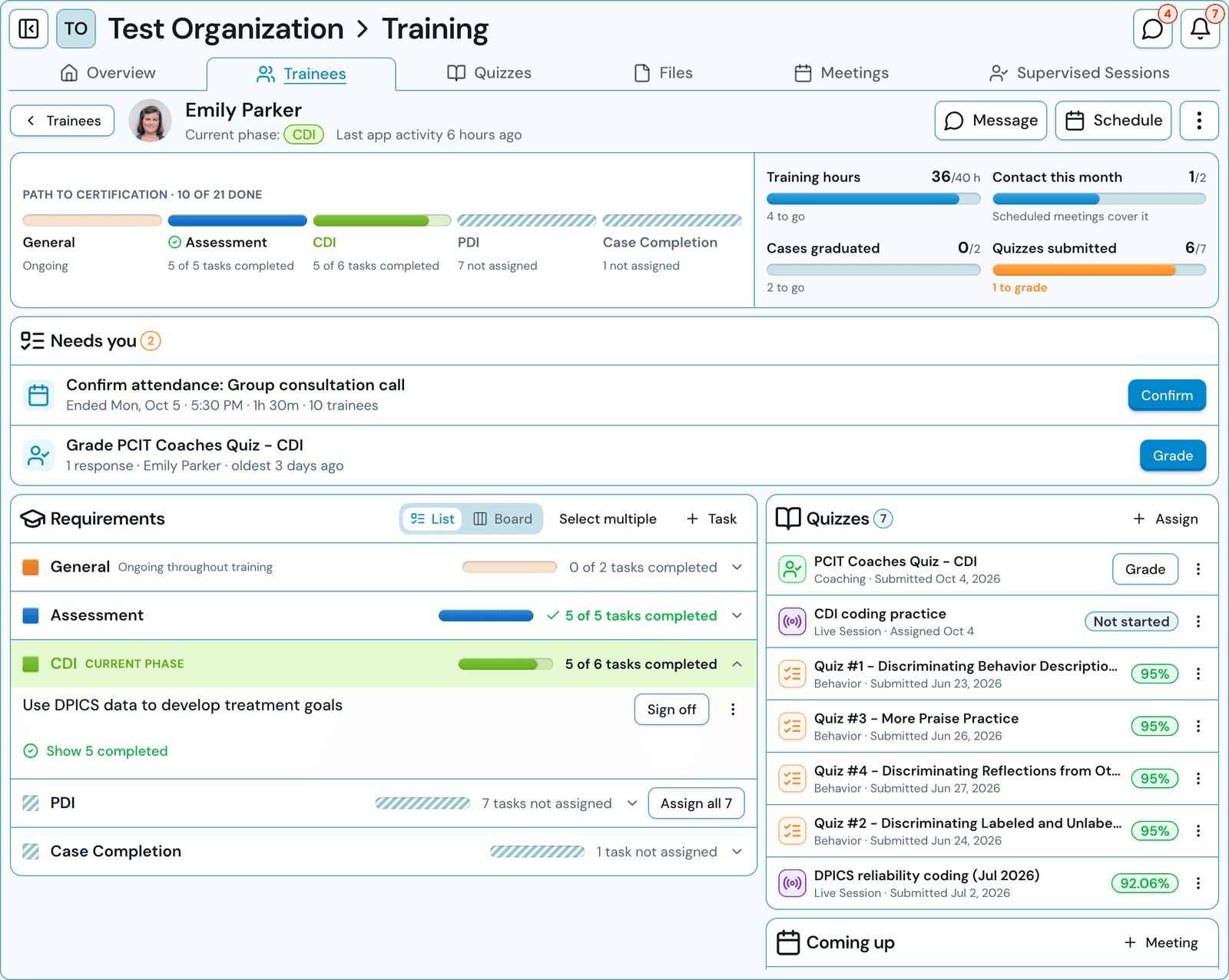
A dynamic certification checklist
Manage each trainee’s requirements as a phase-by-phase checklist or a drag-and-drop board. A path-to-certification summary, a list of what needs you, and quick sign-off mean "what’s next" is never a mystery.
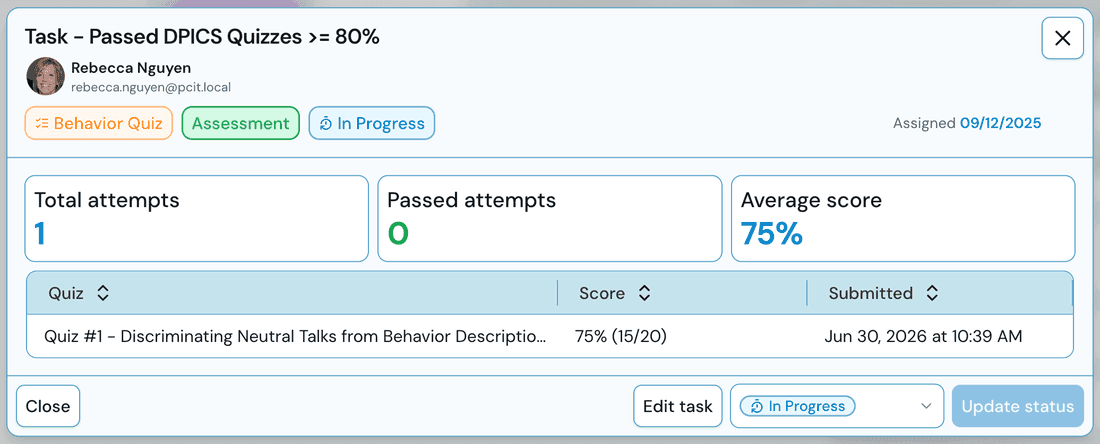
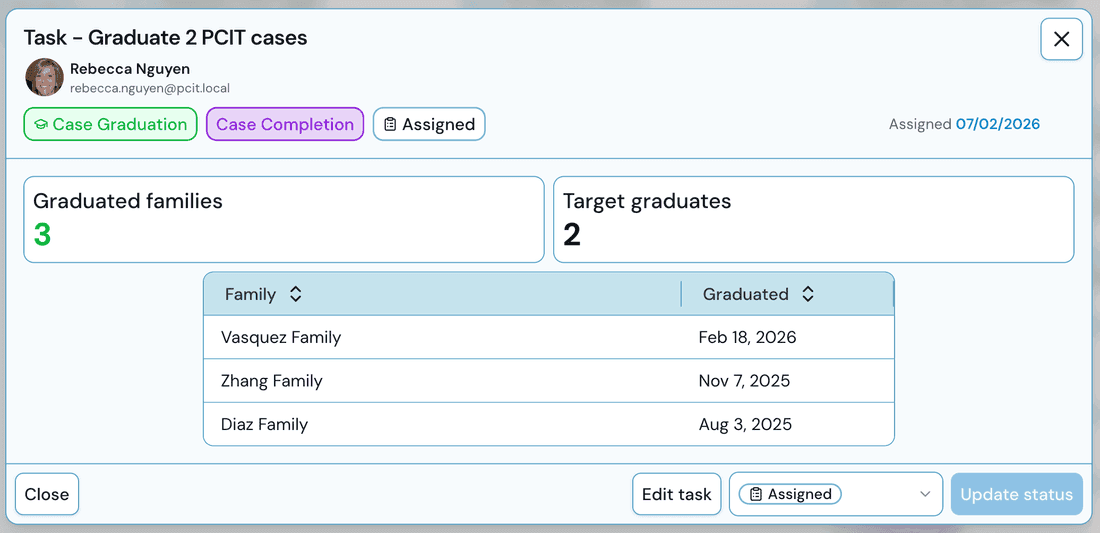
Requirements automatically update
Open any task and see real evidence pulled automatically from platform activity, not an honor-system spreadsheet. Training hours tally from confirmed meeting attendance; graduated cases pull from actual clinical data.
Fully customizable quizzes, scored for you
The Training Tracker includes three types of quizzes: behavior coding, coaching multiple choice, or session coding reliability quizzes. Utilize pre-populated quizzes or build your own with scoring and answer visibility settings within your control.
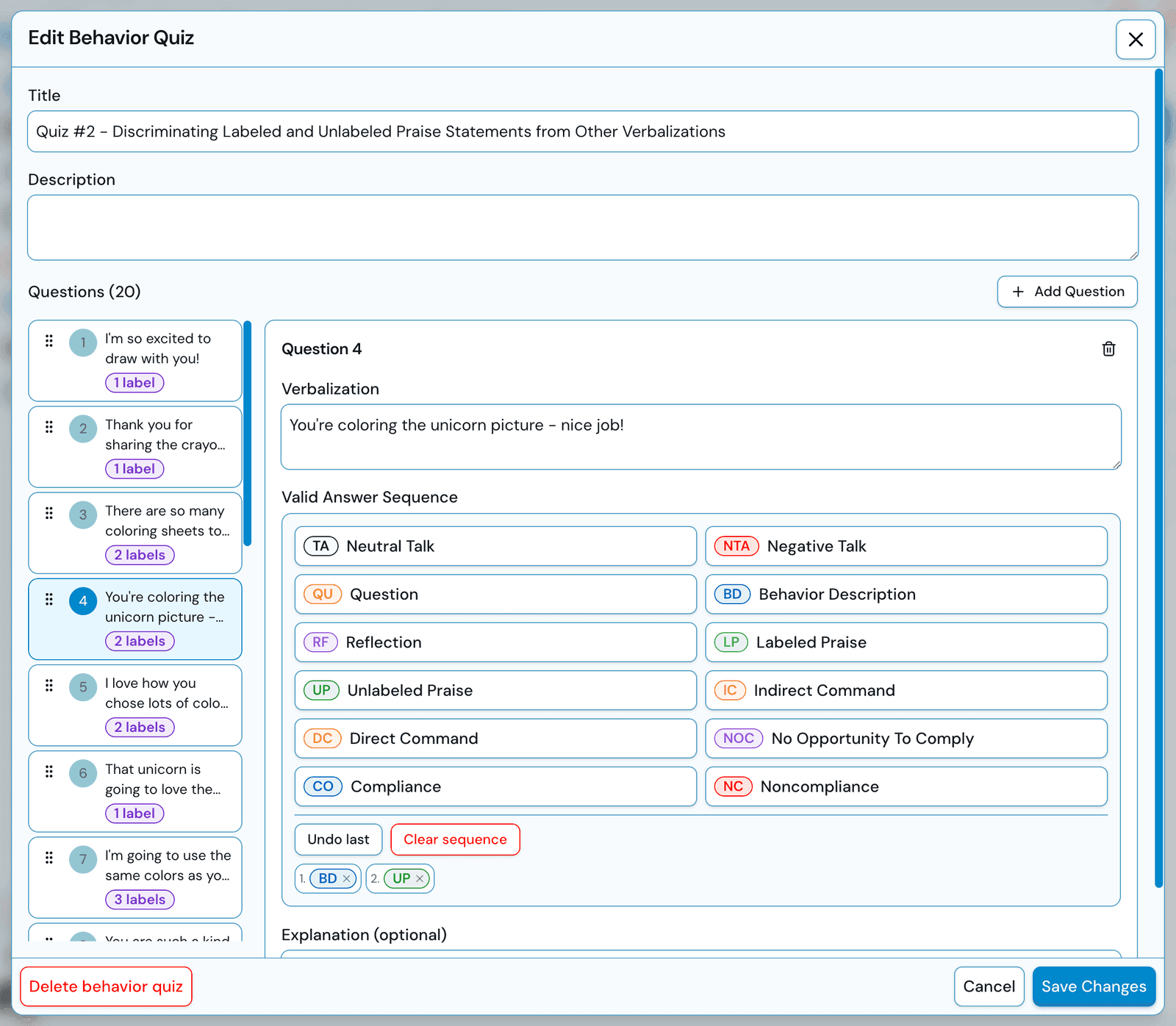
Build quizzes your way
Write custom verbalizations, define the valid behavior code answer sequence for each question, and add optional explanations that trainees can see after they submit their answers. Every quiz that is included in the bank is editable, so they serve as a starting point and can be built upon.
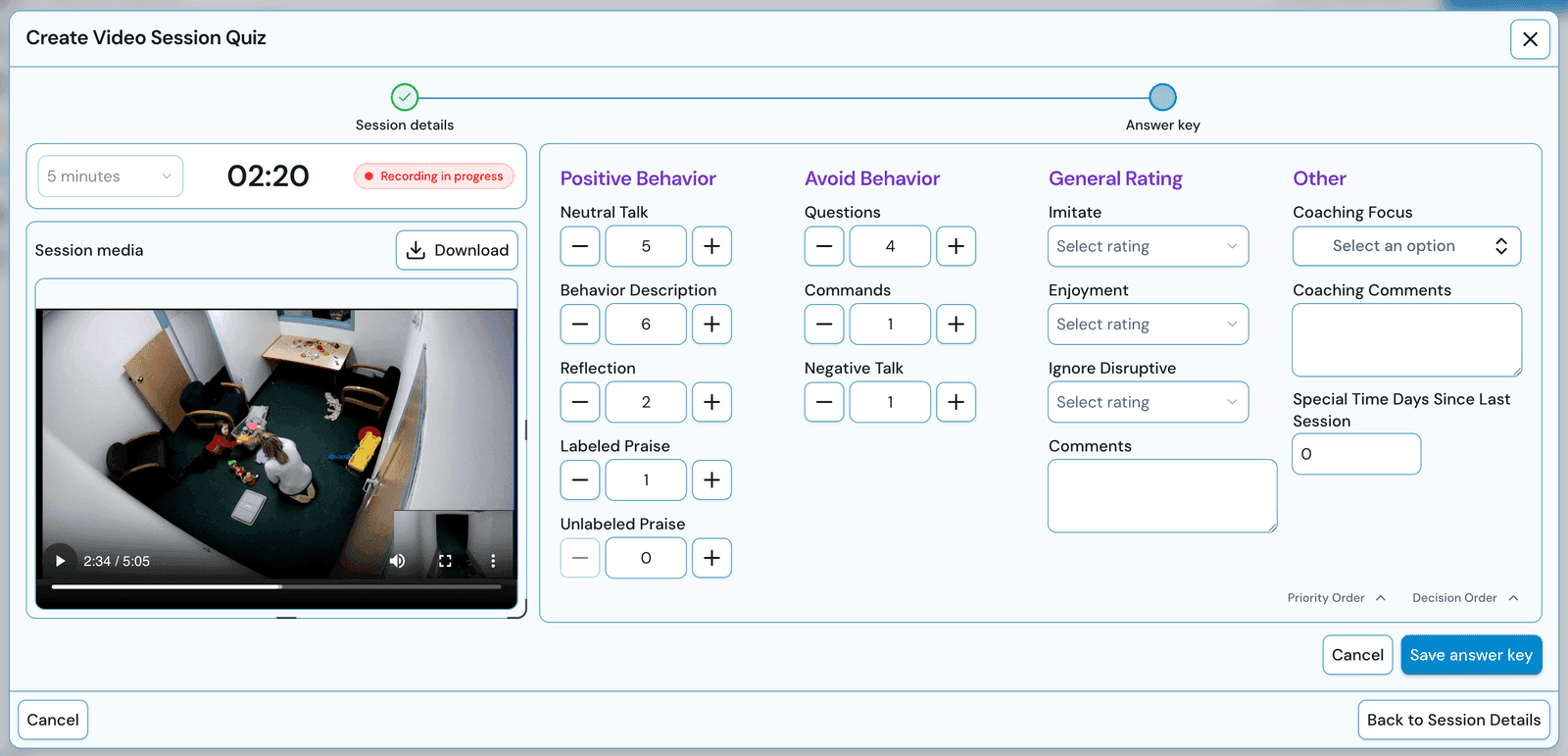
Code example session video clips
Upload an example session video clip and fill out the respective coding form. The trainer’s coding becomes the answer key. Trainees code the same video on their own time, and interrater reliability is automatically scored.
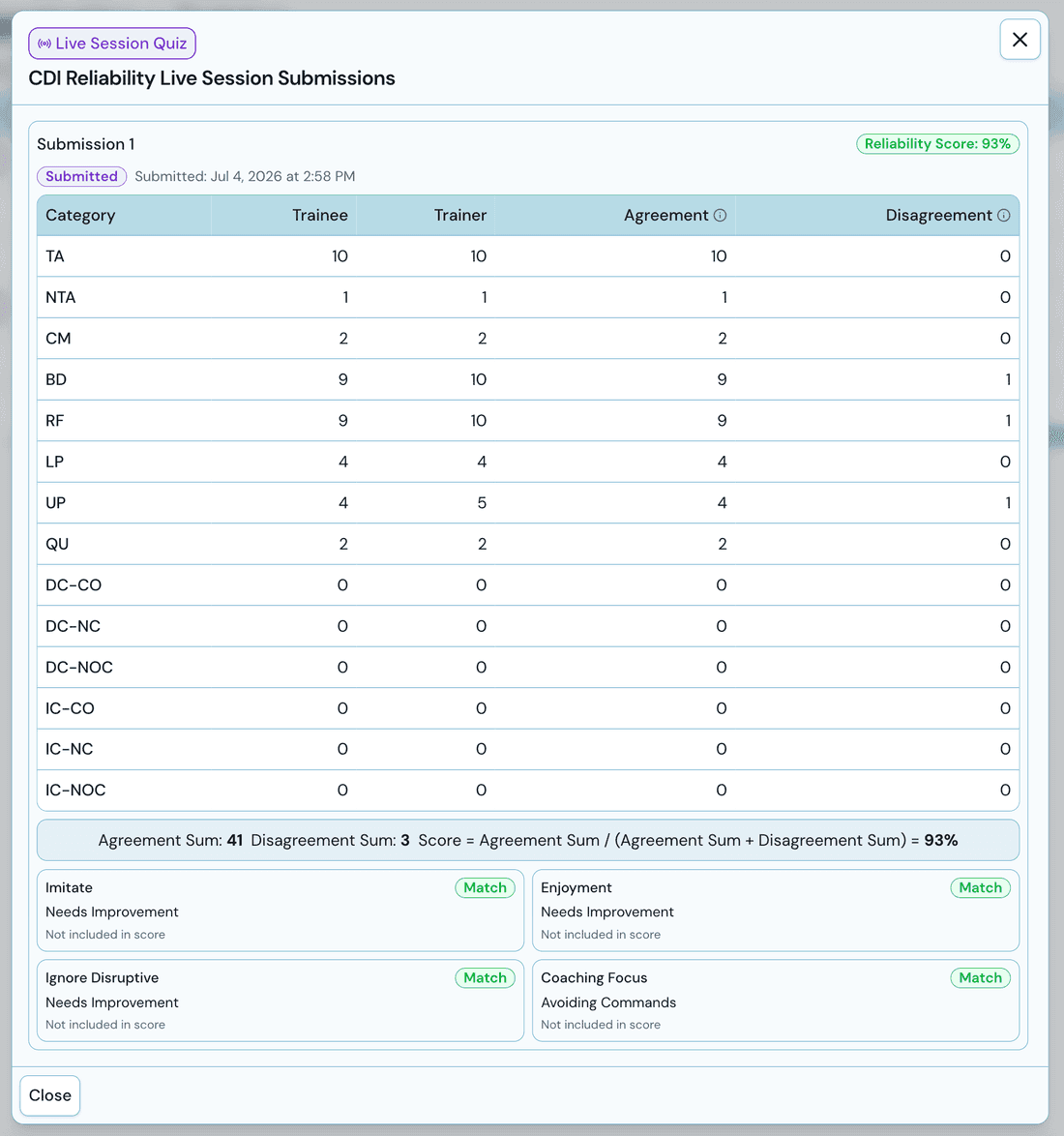
True inter-rater reliability, computed for you
Whether from a video quiz or a live session where trainer and trainees code side by side, the app compares every submission against the answer key and reports the reliability percentage that certification requires.
Supervision, meetings, and messaging
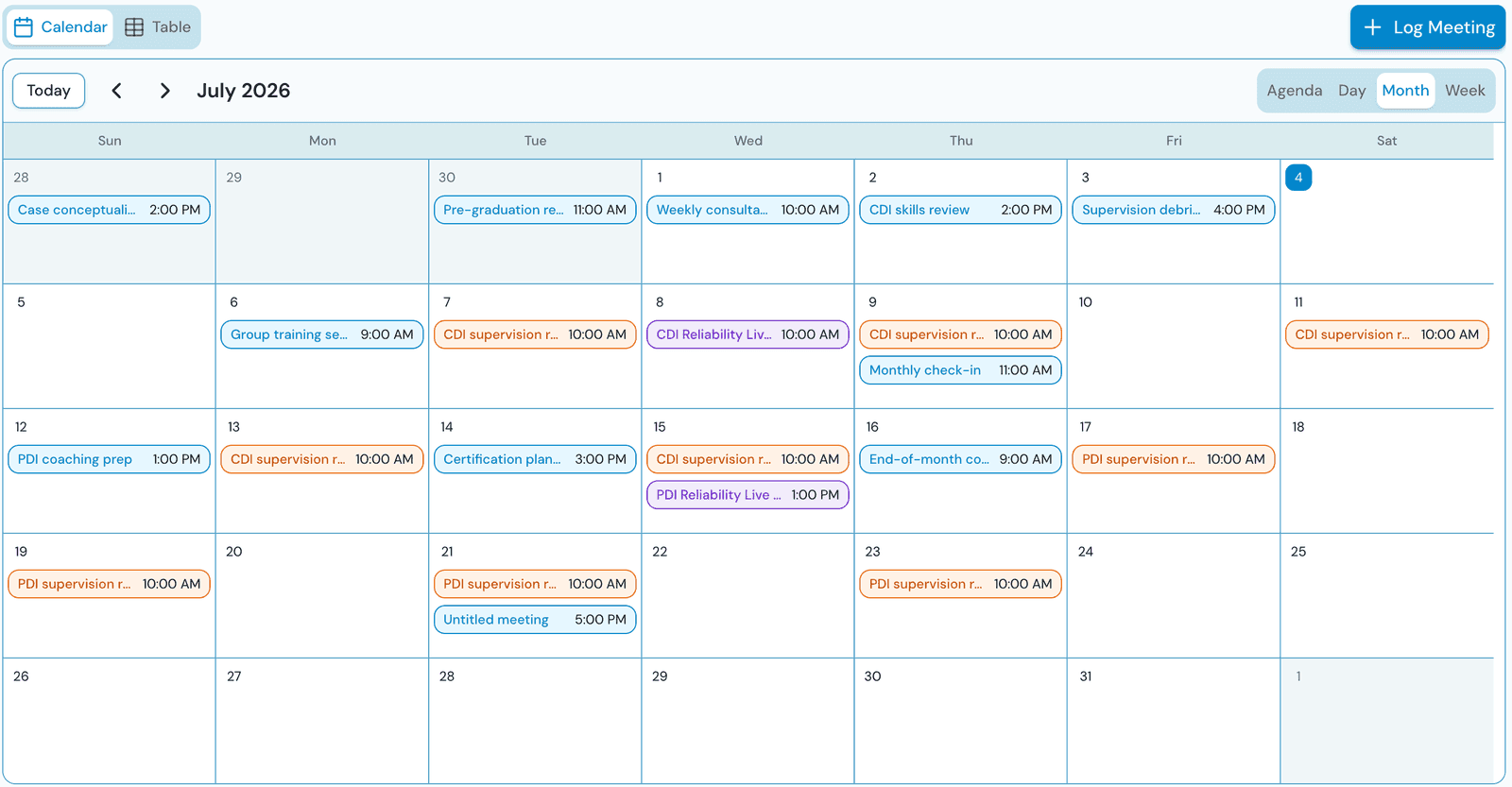
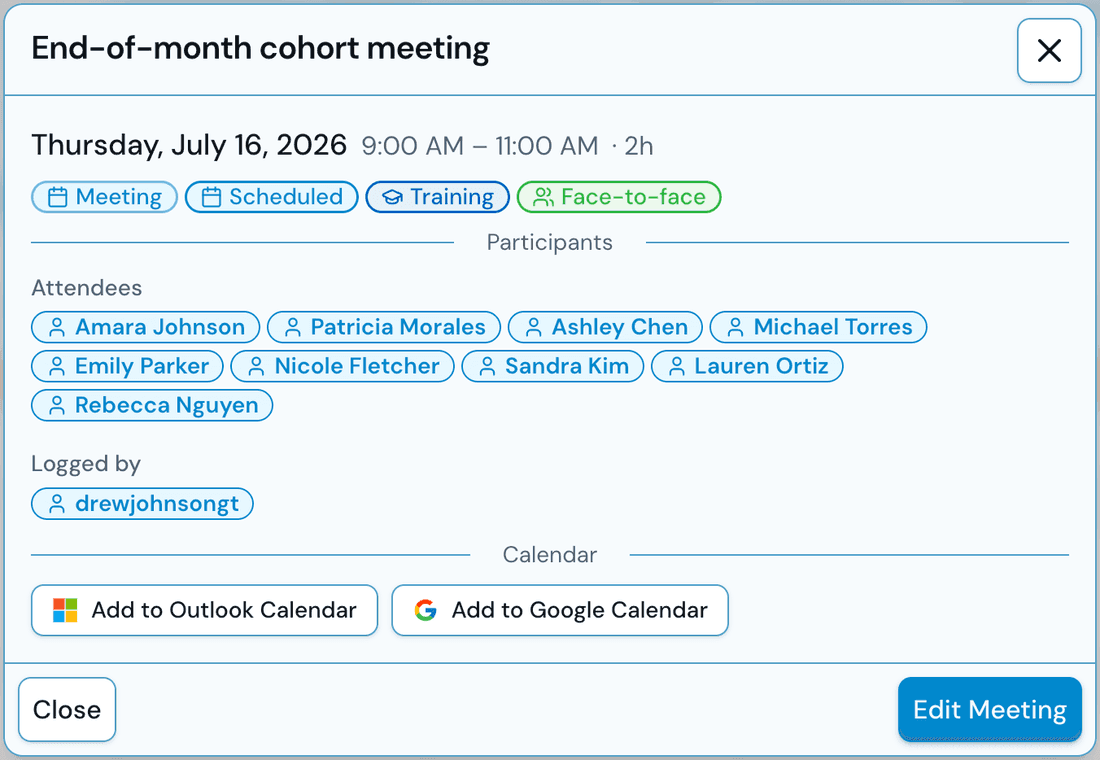
Every meeting scheduled, attended, and counted
A shared calendar for training and consultation meetings, with agenda, day, week, and month views. Trainers confirm attendance before hours count toward the 40-hour requirement, so logged time is verified time.
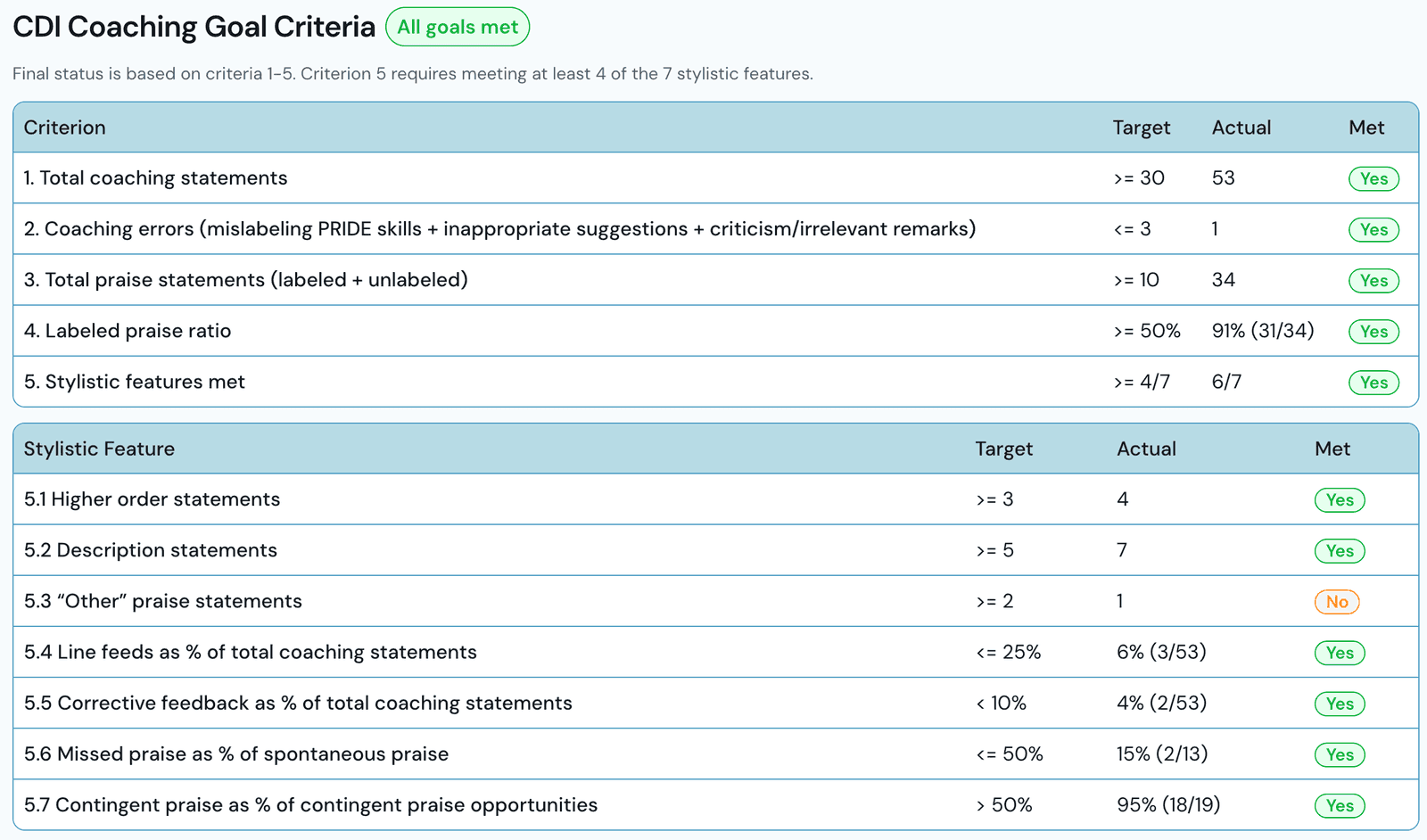
Supervision on real client sessions
Trainees invite their trainer into actual PCIT sessions. Both code independently, then review a side-by-side comparison per caregiver, plus a dedicated coach-coding form that tallies the trainee’s coaching skills.
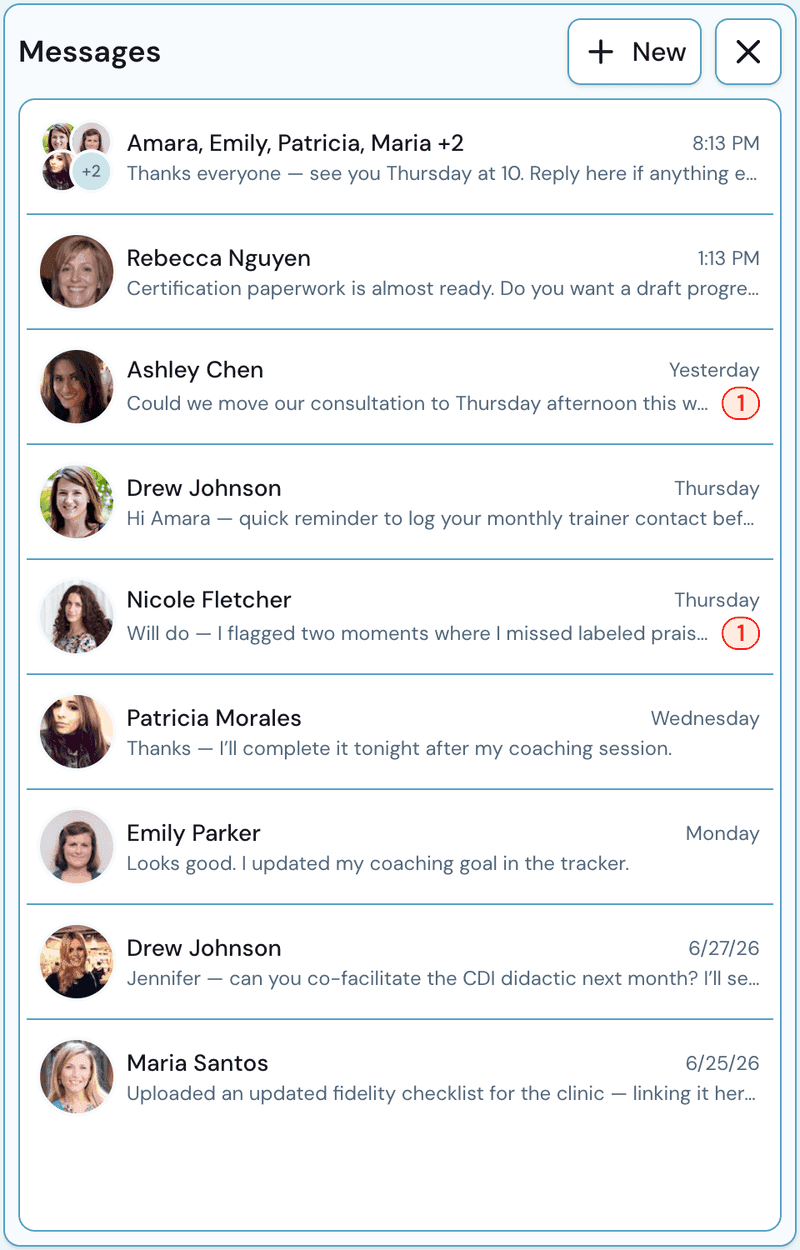
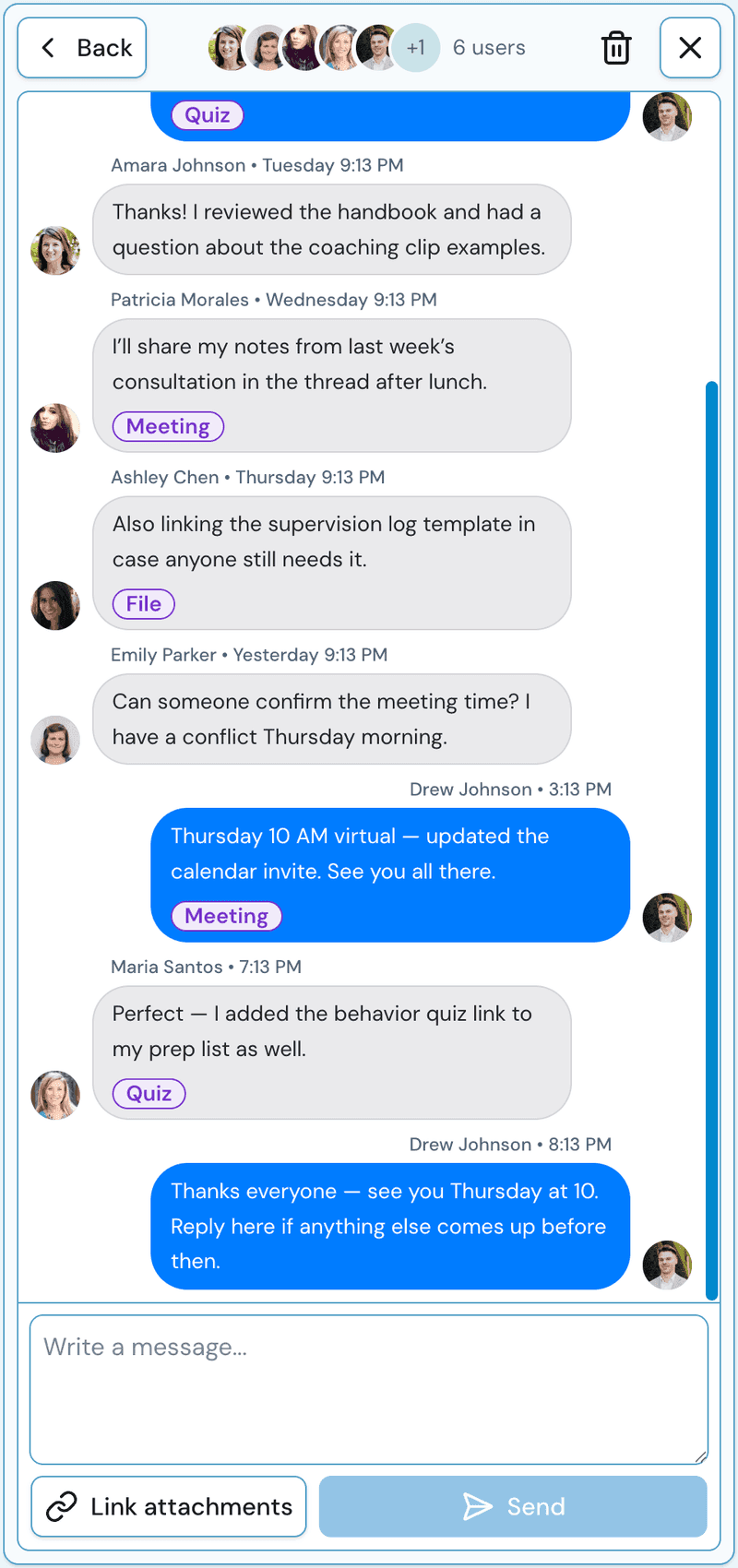
Feedback lives next to the work
Individual and group messages between trainer and trainees right inside the workspace. Attach the task, quiz, meeting, or file you are discussing, and it lands in the thread where everyone can act on it.
A complete training workspace
Everything you need to keep a PCIT training program moving, without leaving the platform.
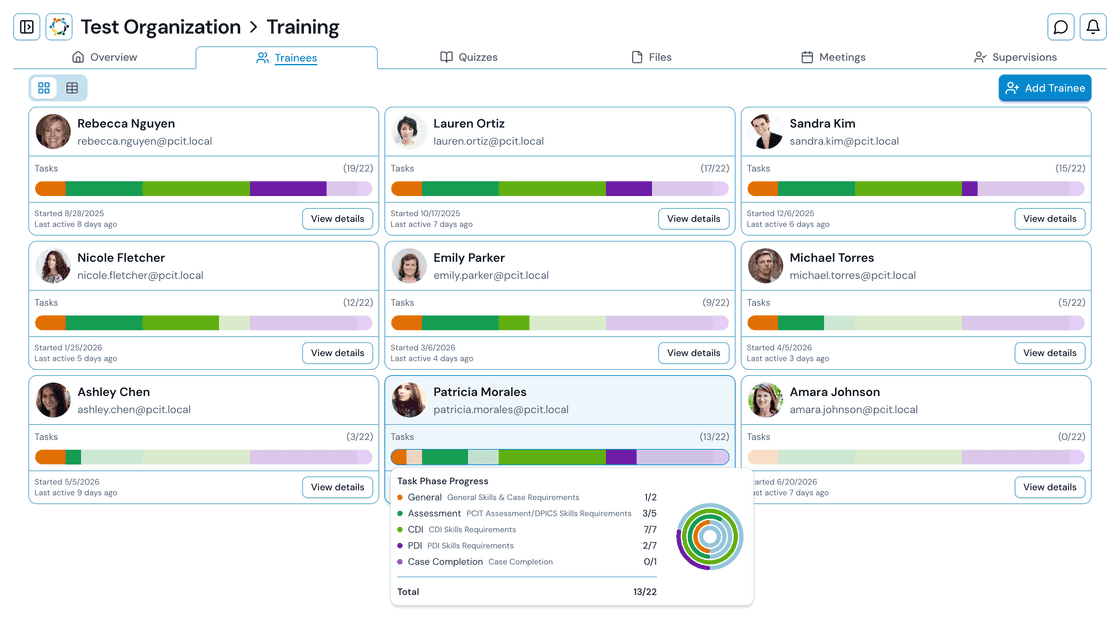
Cohort-wide progress
Every trainee at a glance: current phase, color-coded progress across Assessment, CDI, PDI, and Case Completion, training hours, monthly contacts, and what needs attention.
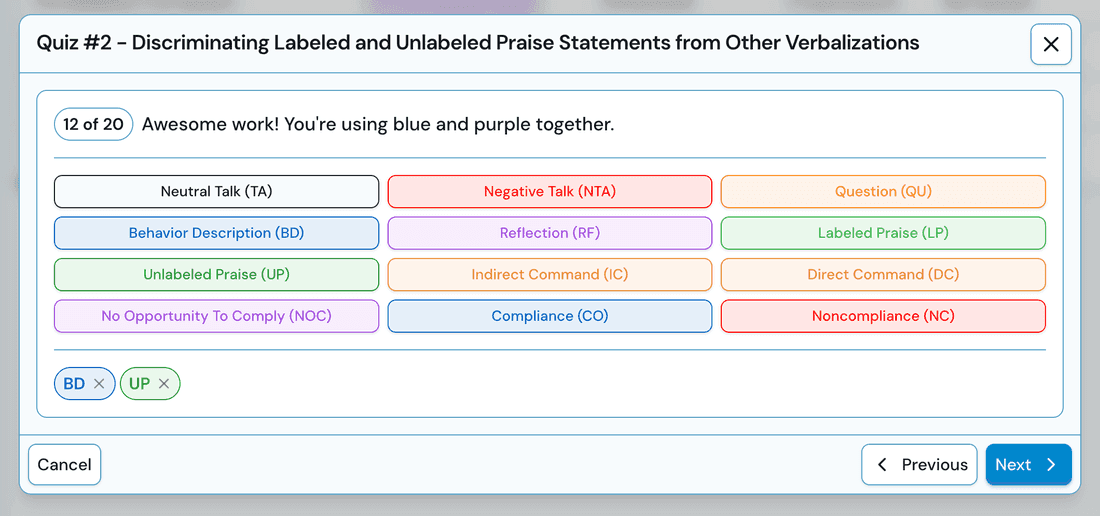
Auto-scored quizzes
Assign quizzes with instant auto-scoring, per-question explanations, and full attempt history. The Training Tracker comes with an included quiz bank that can be edited and built upon.
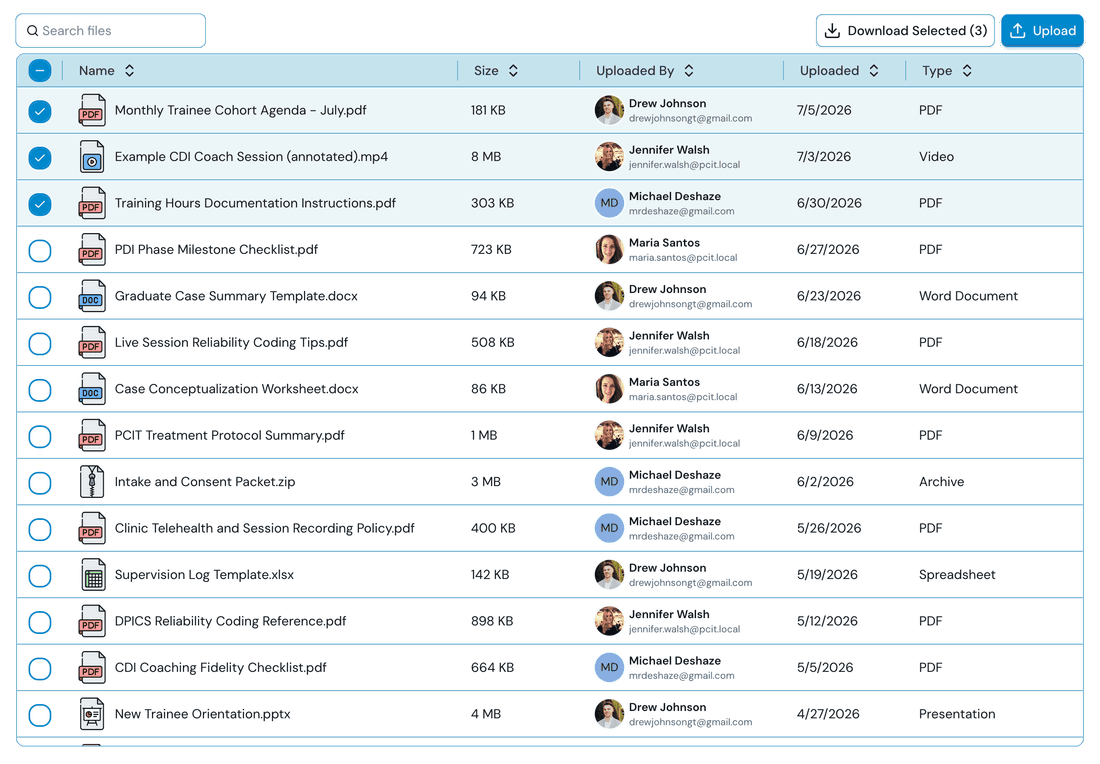
Training file library
Upload and share protocols, handouts, and videos. Files link to tasks, quizzes, meetings, and messages, so materials show up right where they matter.
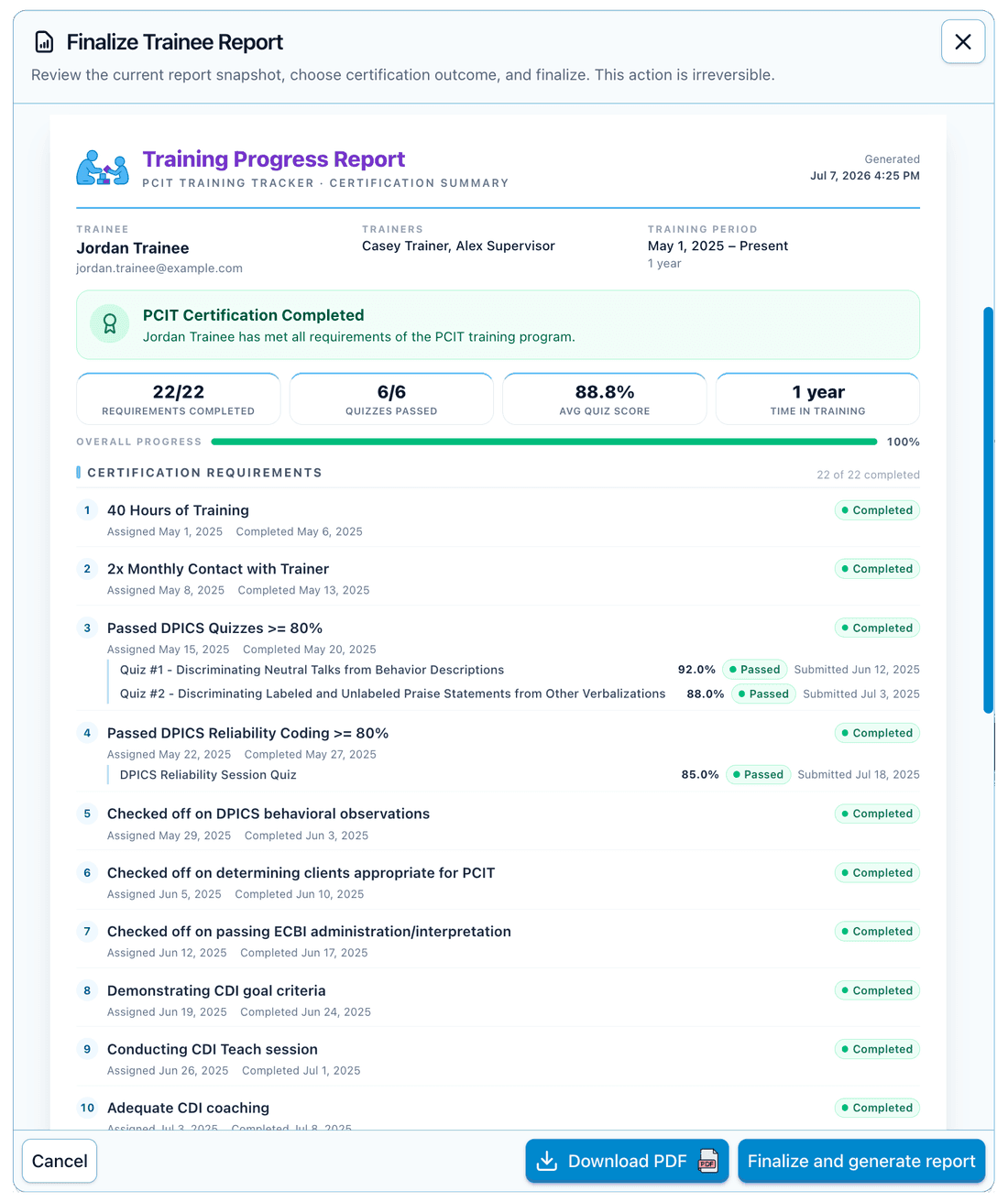
Certification reports
Finalize an immutable, printable progress report and award a PCIT Certified badge that shows across the organization.
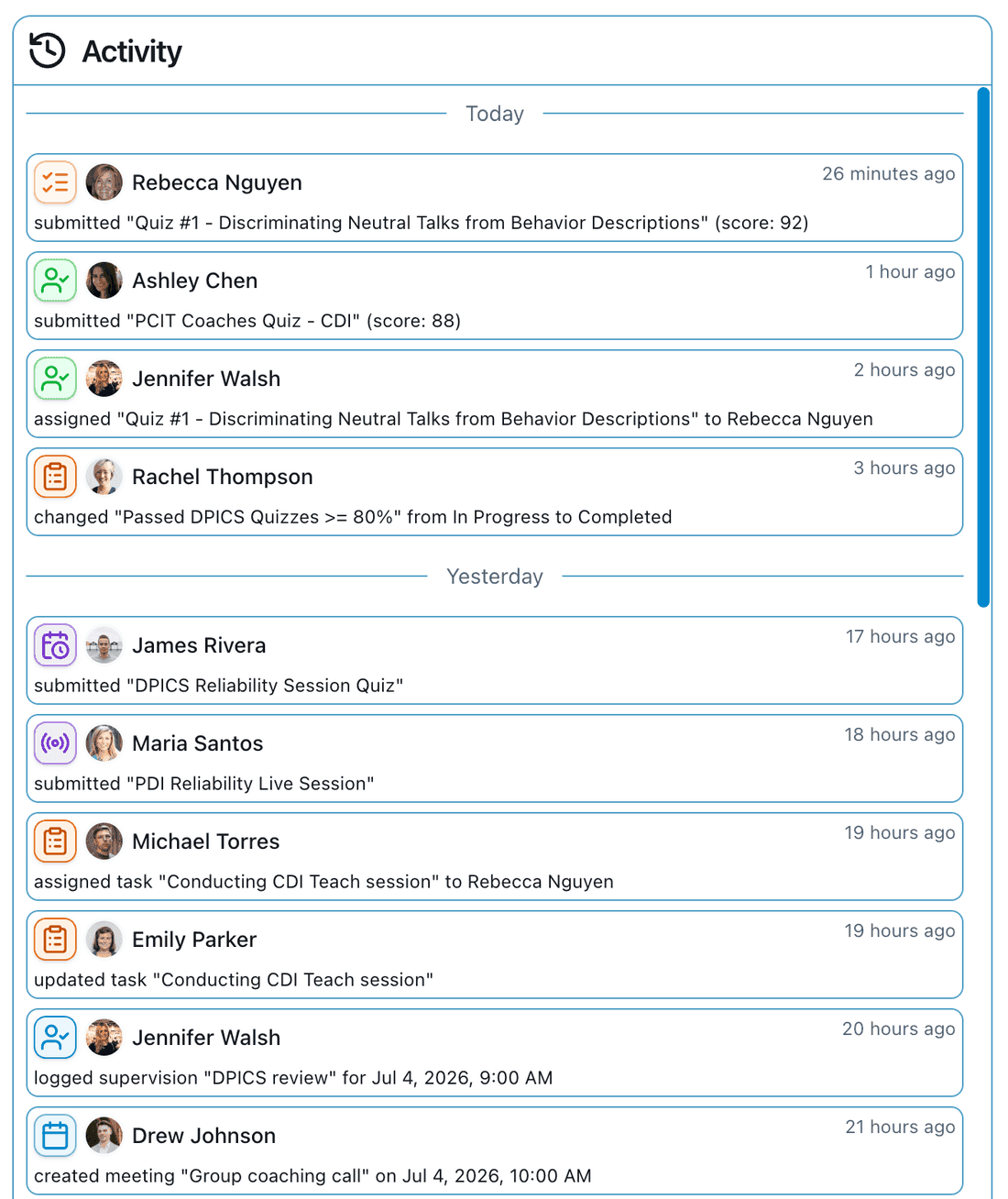
A complete audit trail
Every training action is recorded, from task changes to quiz grades, so your program has an accountable history when it counts.
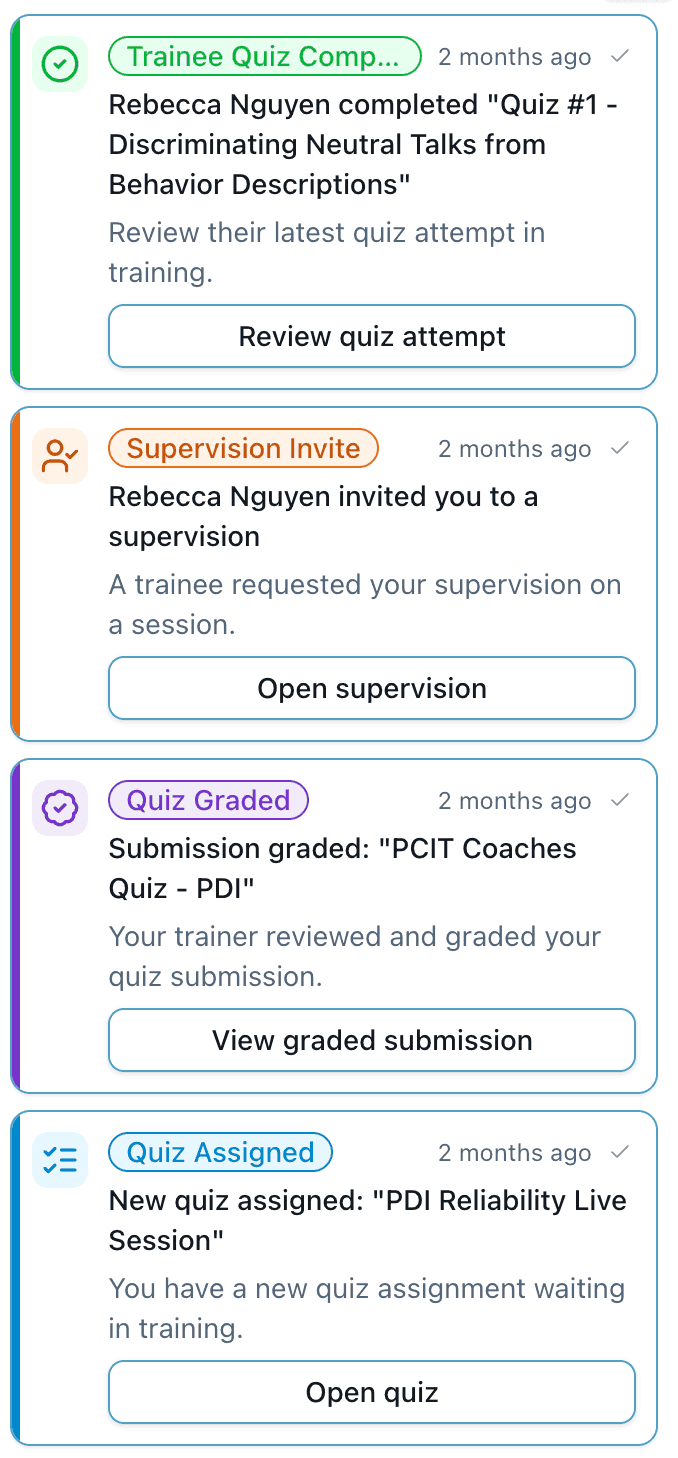
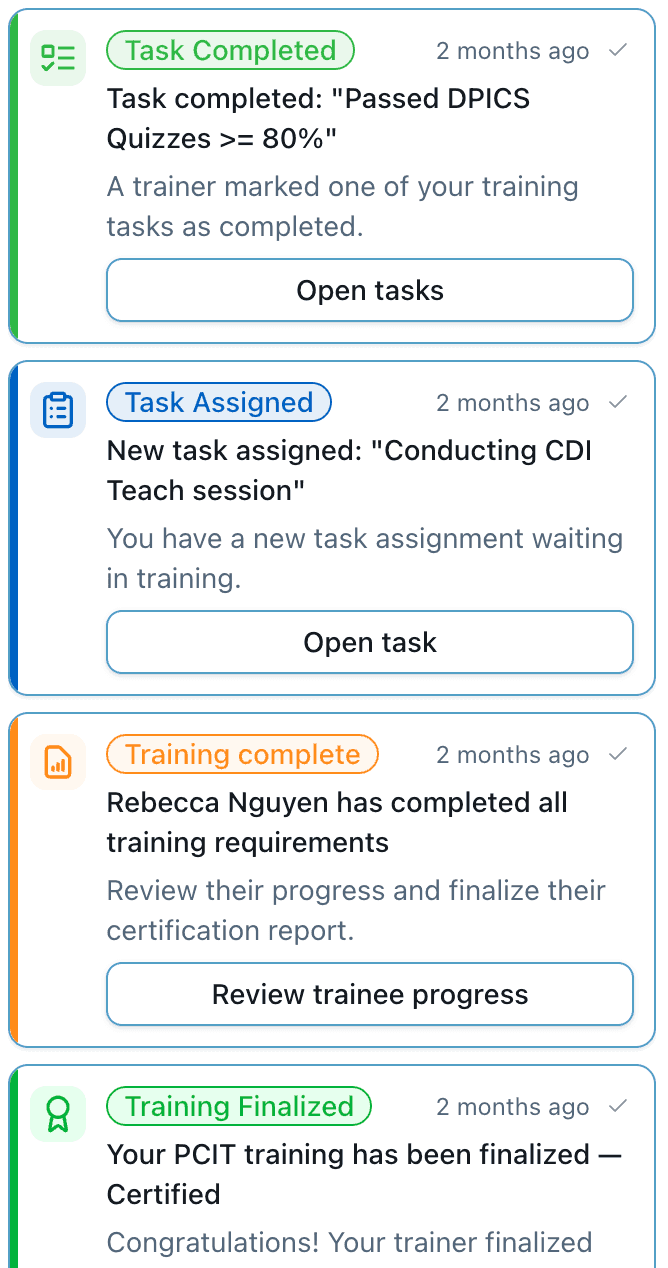
Automated notifications
A dozen notification types keep everyone moving, from quizzes assigned and graded to meeting invitations, reminders, and supervision invites, in-app and by email.
See the Training Tracker with your program in mind
Book a meeting for a walkthrough of certification tracking, quizzes, and supervision - or tell us about your training cohort and we'll follow up.
Meet with us
Considering PCIT Tracker for yourself, your clinic, or your training program? We're happy to meet. No commitment, just a conversation:
- A live, personalized walkthrough of the platform
- Answers to your questions about clinical workflow, HIPAA and security, and billing
- A free trial set up for you or your whole team
Have a question first? Send a message with the form or email admin@pcit-tracker.com.
Book a MeetingSend us a message
Bring your training program into one workspace
We'll walk you through the Training Tracker live, answer your questions, and set up a trial for your team.